Glöwr turns subtitle lines from the programmes you watch into Anki cards,
with the audio clip, a translation and the word you're learning. One shortcut, no copying and pasting.
Made for learning Welsh from S4C, and works with any language that has subtitles.
Audio cut to the line
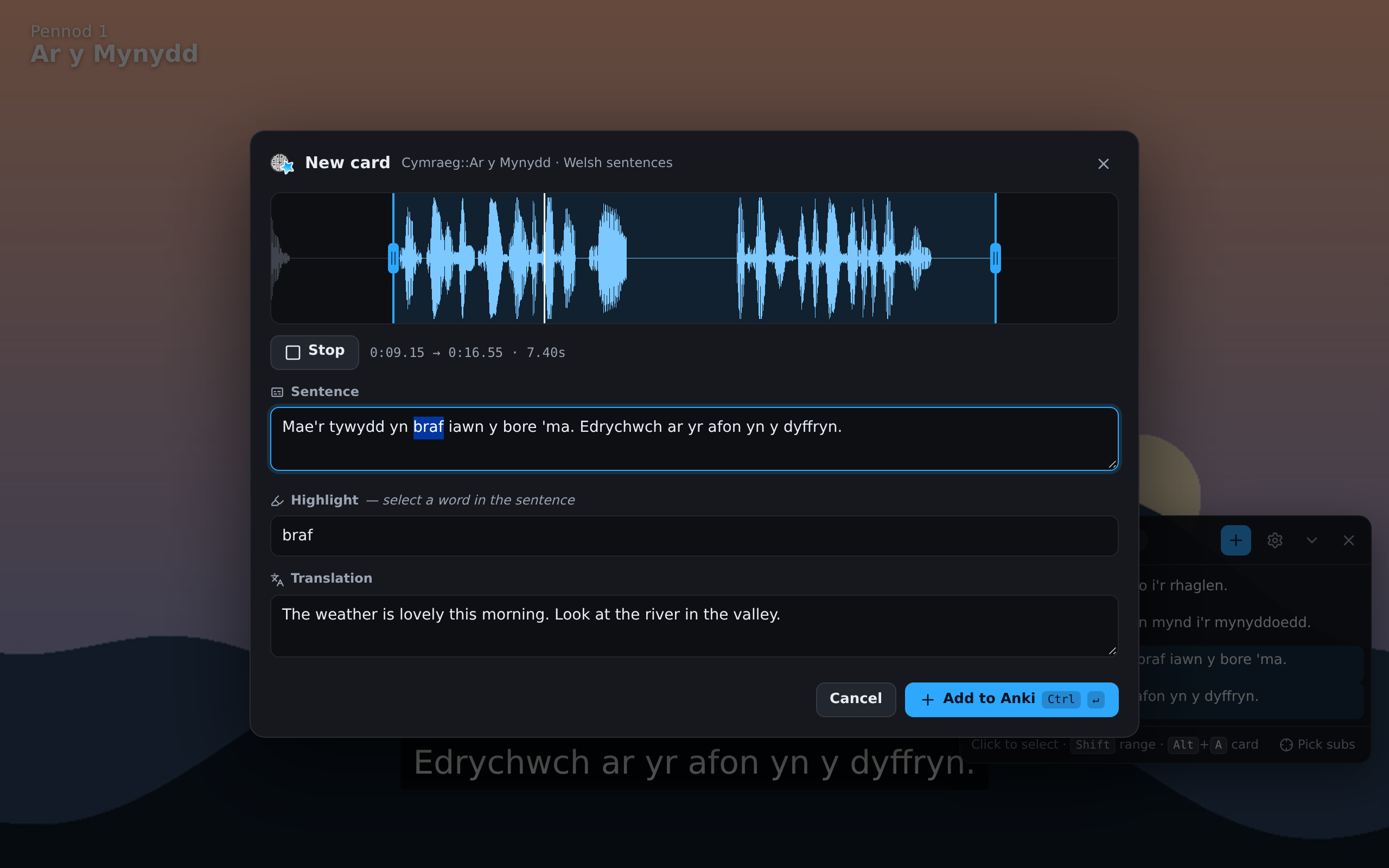
The clip is already trimmed to the sentence. Fine-tune it by dragging the handles on the waveform.
Every line, timed
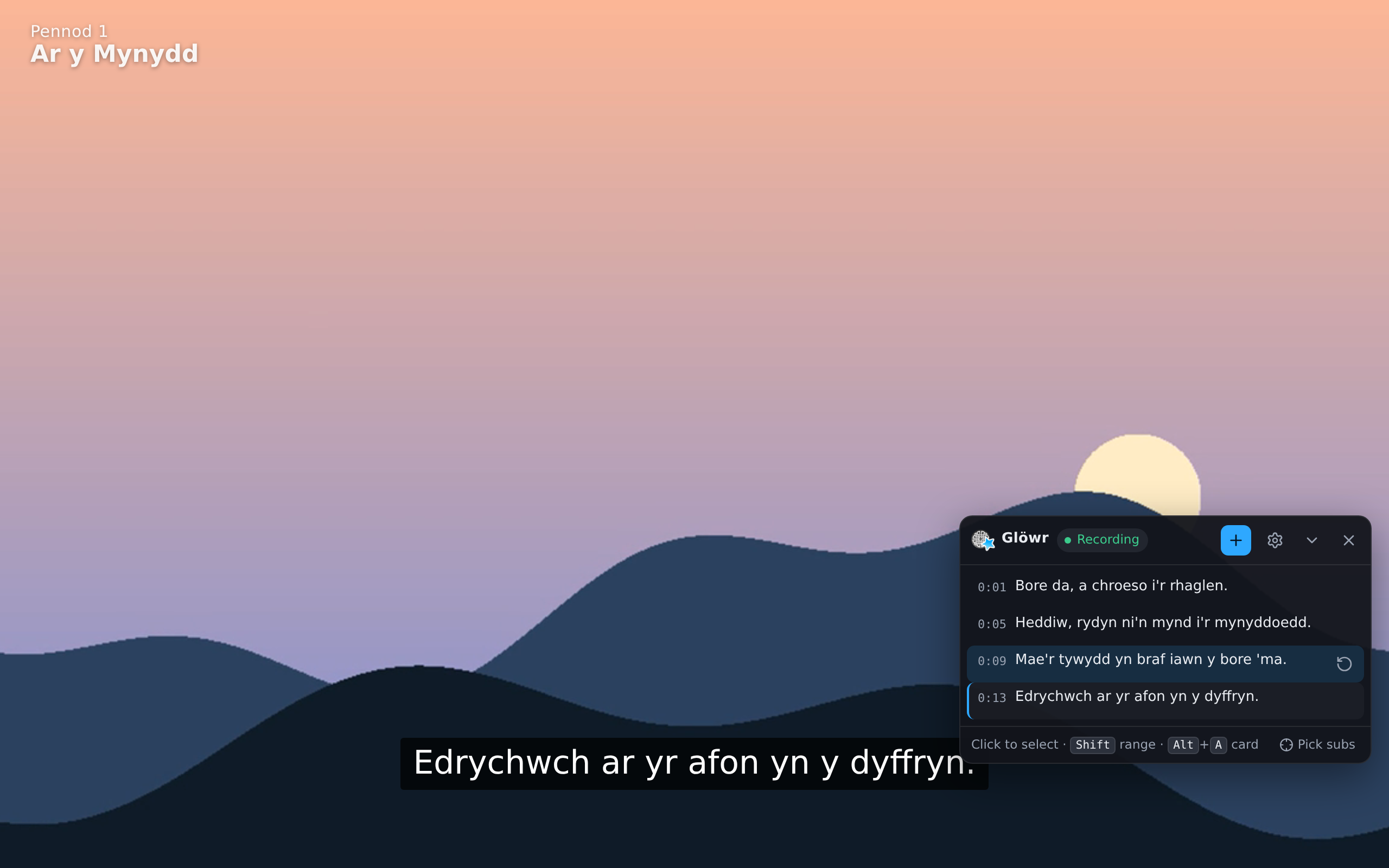
A panel lists what's been said. Pick one line or several, or replay any of them.
Auto-captions too
YouTube's auto-generated captions, which appear word by word, are collected as whole lines.
Translation and target word
A translation is filled in for you, or turn that off and write your own. Double-click a word to bold it and save it to its own field.
Your deck, your note type
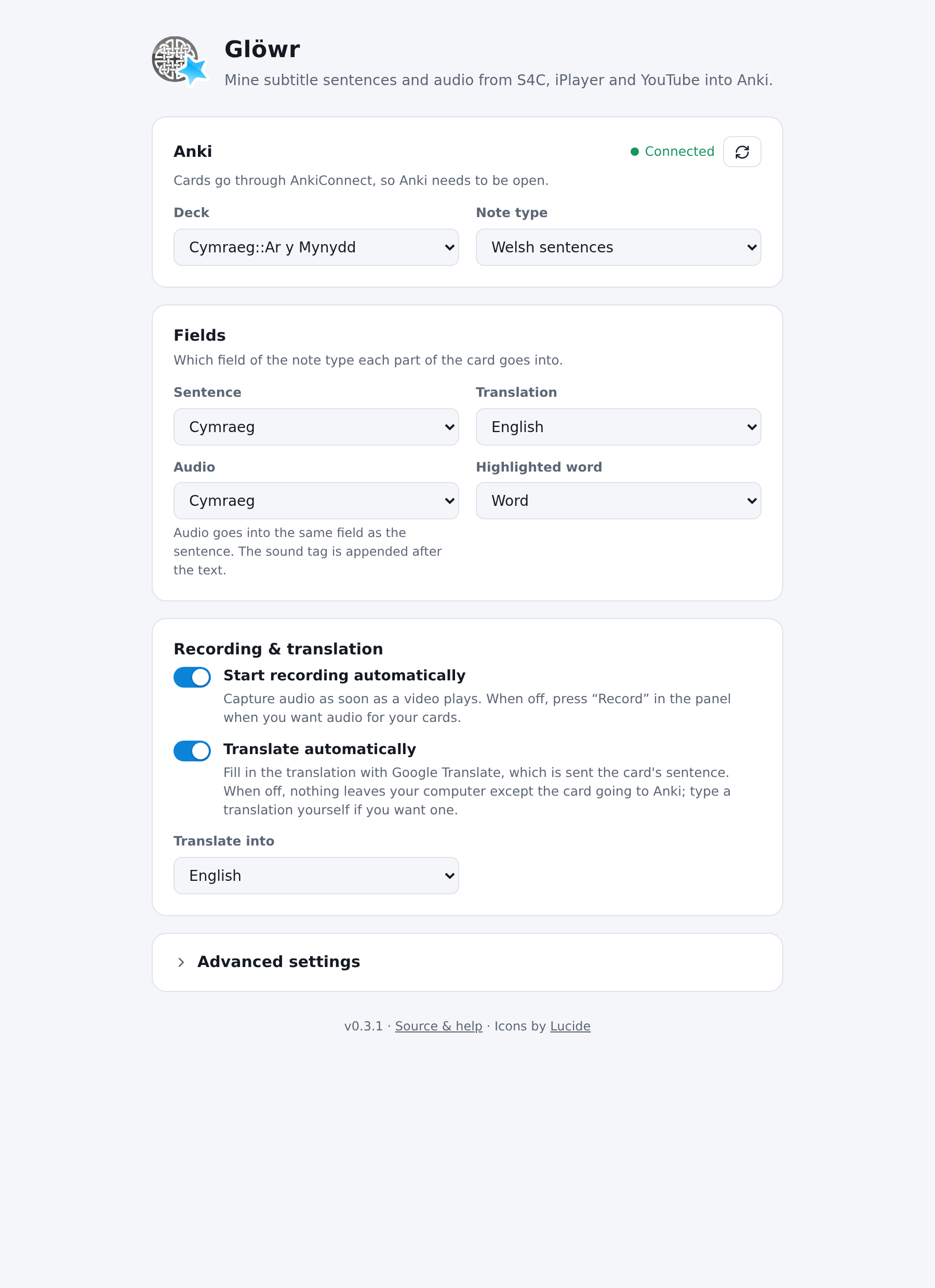
Choose the deck, note type and fields from dropdowns filled from Anki.
Private and open source
No account, no server, no tracking. Audio stays on your computer until it goes to Anki.
Out of the way while you watch
The panel sits over the video, follows it into fullscreen and can be dragged anywhere.
Press Alt+A when you hear something worth keeping.
Close it when you're only watching: recording stops too.
Prefer to choose when audio is recorded? Turn automatic recording off.
Ads on YouTube are skipped, and auto-generated captions become whole lines.
Set up once
Pick where each part of the card goes. If a site changes its player and lines stop
appearing, press Pick subs and click the subtitles on the video; Glöwr works out
where to read them from.
How it works
Three steps once it's installed.
Watch with subtitles onGlöwr lists each line and records the audio as it plays.
Press Alt+ATrim the clip if you like, check the translation, pick out a word.
Press Ctrl+EnterThe card, with its MP3, is in your Anki deck.
Install
You'll need Anki with the
AnkiConnect add-on (code 2055492159), open while you make cards.
The first time you open Glöwr's settings, Anki asks whether to allow it. Choose
Yes, then pick your deck, note type and fields.
Questions
Which sites does it work on?
S4C Clic, BBC iPlayer and YouTube. Subtitles need to be switched on in the player.
Netflix and other services that use DRM don't allow their audio to be recorded.
Why does the panel say "Click page to record"?
Browsers only let a page record audio after you've interacted with it. Click anywhere on the page once.
Why is there no audio on my card?
Glöwr can only clip audio it heard. Play the line through once at normal speed while the panel says
Recording. At other speeds recording pauses, since sped-up audio makes a poor card.
What gets sent where?
The card's sentence goes to Google Translate for the translation, and the finished card goes to
Anki on your own computer. Nothing else leaves your browser. You can turn automatic translation
off in Settings, and then only the card goes to Anki.
What does the name mean?
Glöwr is Welsh for a coal miner. Collecting sentences from what you watch is called
sentence mining.